Guide
What are product options and modifiers?
Product options are the choices a customer makes to personalise an item when ordering (size, extra toppings, removals, cooking preference) that affect the price — managed cleanly through option templates.
Short answer
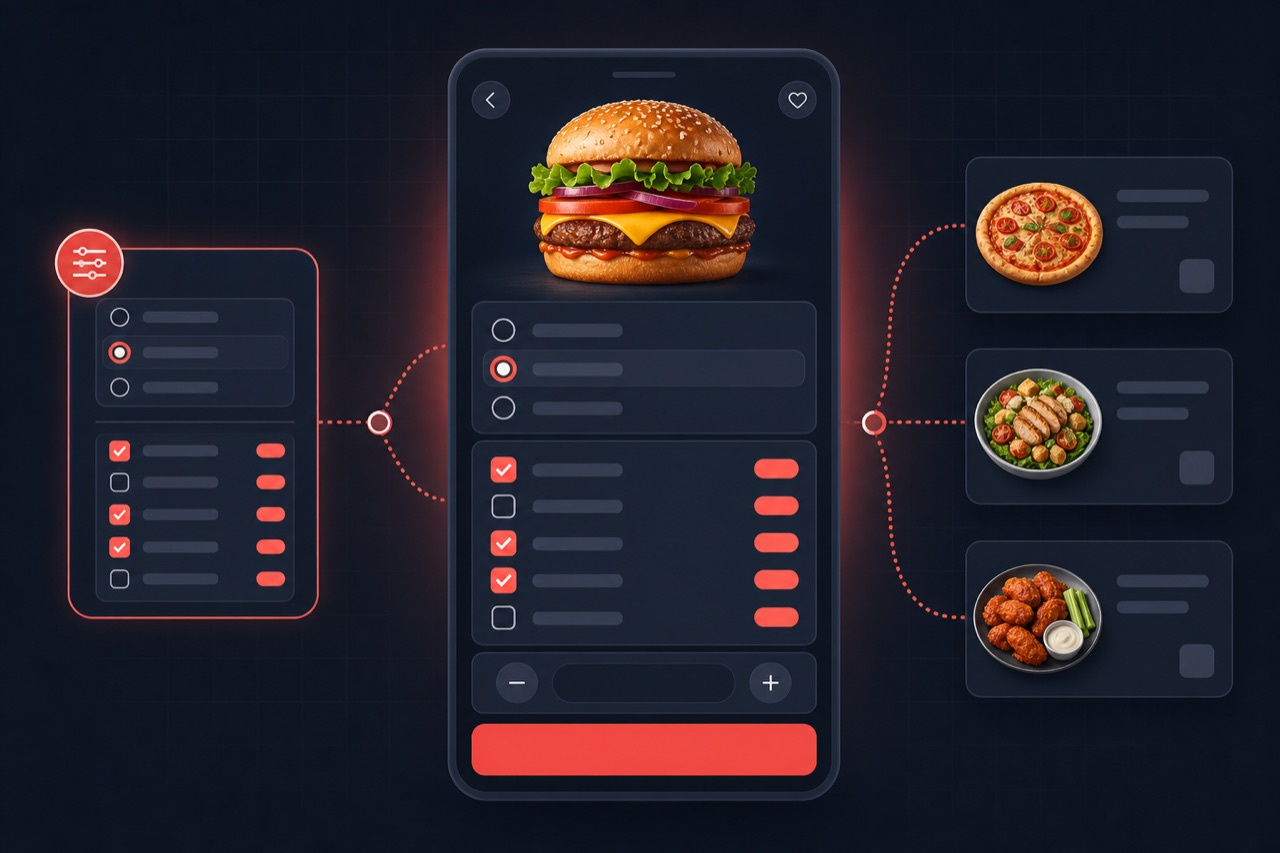
Product options (modifiers) are customisations added to a menu item that the customer selects at checkout: size, extra topping, removal, side and so on. In Dijifis these are defined with reusable option templates; each choice can carry a price difference, single/multi and required/free-count rules are set, and the order total is calculated on the server automatically.
Definition
An option defines a variation of a product: small/medium/large size, extra cheese, no sauce, and so on. Each option has a name and, where needed, a price difference. This lets you offer many combinations within one product instead of creating separate products.
The system works in three layers: first an option template (group) is created, then that template is bound to one or many products, and finally the customer's selected options are written to the order line. Thanks to templates you use the same group (e.g. "Extra toppings") across dozens of products with a single definition.
How does it work?
Option management typically proceeds through these steps:
- You create an option template (group) and add its choices (e.g. "Size: Small/Medium/Large").
- You define a price difference for each choice where needed (e.g. Large +€2).
- You set the selection rule: single choice (radio) or multiple choice (checkbox), whether it is required, and any free/included count limit.
- You bind the template to the relevant product or products, with per-product tweaks if needed.
- When a customer orders, they make their selections; the system writes the options and price differences to the order line and total automatically.
Benefits
Well-designed options both simplify the menu and grow the basket.
Less product clutter
Instead of creating a separate product for every variation, you manage them with options on one product.
Accurate pricing
Extras and size differences are calculated automatically at checkout, reducing errors.
Fast setup
Define an option template once and reuse it across dozens of products.
Higher basket
Extra toppings and side suggestions raise the average order value.
Best practices
To get the most from options:
- Move recurring choices (e.g. extra toppings) into a template and reuse them.
- Mark required choices (e.g. size) clearly.
- Set the free/included count correctly (e.g. up to 2 sauces free).
- Keep option names short and clear.
- Set price differences in line with ingredient cost.
Related guides and solutions
Frequently asked questions
- What is an option template?
An option template is a reusable structure that lets you define a choice group (e.g. "Extra toppings") once and bind it to many products. A change in the template can be applied to the bound products.
- What is the difference between single and multiple choice?
Single choice (radio) requires the customer to pick exactly one option (e.g. size). Multiple choice (checkbox) lets them select several options (e.g. extra toppings).
- Can I add a price difference to choices?
Yes. You can define a price difference for each option; when the customer selects it, the difference is added to the order total automatically.
- Can I use the same options on many products?
Yes. Thanks to templates you can bind the same choice group to as many products as you like with a single definition.
Summary
Product options are choices that let a customer personalise an item and affect the price. With reusable option templates you define sizes, extras and removals once, set single/multi and required/free-count rules, use them across many products, and have price differences calculated automatically at checkout.
Get started
Contact us about an online ordering solution for your business and start taking orders on your own channel with Dijifis.